Blog / Listings, price and keywords
What is A+ Content on Amazon, and how to create it
Your competitor's product page has a banner, a comparison chart and lifestyle images below the bullets. Yours has a plain paragraph. That section is A+ Content, and if you own a registered brand you can add it too.
Updated 2026-11-27
The short answer
A+ Content is the section of images, text and comparison charts below the bullets on an Amazon product page. Only brand owners enrolled in Amazon Brand Registry can add it, and only to products in their approved brand catalogue. You build it in Seller Central under Advertising, then A+ Content Manager, from modules such as headers, image and text blocks, and comparison charts.
What A+ Content is
Without A+, the description on a product page is plain text. Amazon India puts the limit for a standard description at 2,000 characters with no photos or graphics. A+ replaces that with designed modules: a header image, image and text blocks, comparison charts and, in some cases, video (What is Amazon A+ Content, Amazon India, read 27 November 2026). See the short A+ Content glossary entry for the definition.
Who can use A+ Content
Amazon India's guide is clear: you must be registered as the brand owner under Amazon Brand Registry, and once approved you can add A+ only to products in your approved brand catalogue. Resellers of someone else's brand can't add it to those listings.
Brand Registry itself is free. To enrol you need a pending or registered trademark for your brand name or logo, issued by a government trademark office of a country with a corresponding Amazon.in store, and the name or logo must be permanently on your products or packaging (Amazon Brand Registry, Amazon India, read 27 November 2026).
| You are | Can you add A+? |
|---|---|
| Brand owner enrolled in Brand Registry | Yes, on ASINs in your approved brand catalogue |
| Agent working for a brand owner | Through the owner's account, once the owner adds you as a user |
| Reseller of another brand | No, not on that brand's listings |
| Selling a generic product without a brand | No, there is no brand to register |
From Amazon India's A+ Content and Brand Registry pages, read 27 November 2026. Selling unbranded items? See our guide to GTIN exemption.
How to create A+ Content, step by step
- Log in to Seller Central India and check your brand is registered.
- Go to Advertising, then A+ Content Manager.
- Click Start creating A+ Content and choose how to build it: self-service modules, or the option where Amazon builds it for you from your text and images.
- For self-service, add modules and fill in the text and A+ images for each.
- Apply the content to your ASIN or ASINs.
- Check the preview, then submit.
Steps follow Amazon India's guide.
Modules and A+ images: what to put where
Amazon India names header modules, product comparison charts, image and text blocks and video embeds among the options. How we'd use them, as a seller rather than as Amazon:
| Module | Use it for |
|---|---|
| Header image | The one reason to buy, shown before anything else |
| Image and text blocks | Answering the questions buyers ask in reviews and Q&A |
| Comparison chart | Moving buyers between your own sizes or variants instead of to a competitor |
| Video | Showing use or assembly that photos can't explain |
Module names from Amazon India's guide; the use column is our advice.
On A+ images: many shoppers read on a phone, so keep text inside images short and large, and put the actual words in the text fields where you can. Amazon India's tips are to state what is unique about the product, avoid errors and long paragraphs, and keep fonts and colours consistent across modules. Don't add links that send shoppers off Amazon.
Why A+ lowers your effective ad cost
Amazon India's Brand Registry page says basic A+ Content can increase sales by up to 8%, and well-implemented Premium A+ Content by up to 20%. Those are Amazon's figures, read 27 November 2026; your result depends on your product and page.
The mechanism matters more than the percentage. You pay per click, not per order. If the same clicks turn into more orders, cost per order falls and so does ACoS, with no change to your bids. That's why fixing a weak product page often does more for ACoS than another round of bid cuts. Work out what you can afford with the break-even ACoS guide.
Checking the rest of the listing
A+ sits below the fold. Title, main image and bullets still decide most clicks. Listing Lift in CreatAiGenie audits those parts of your listings and suggests edits you approve before anything reaches Amazon.
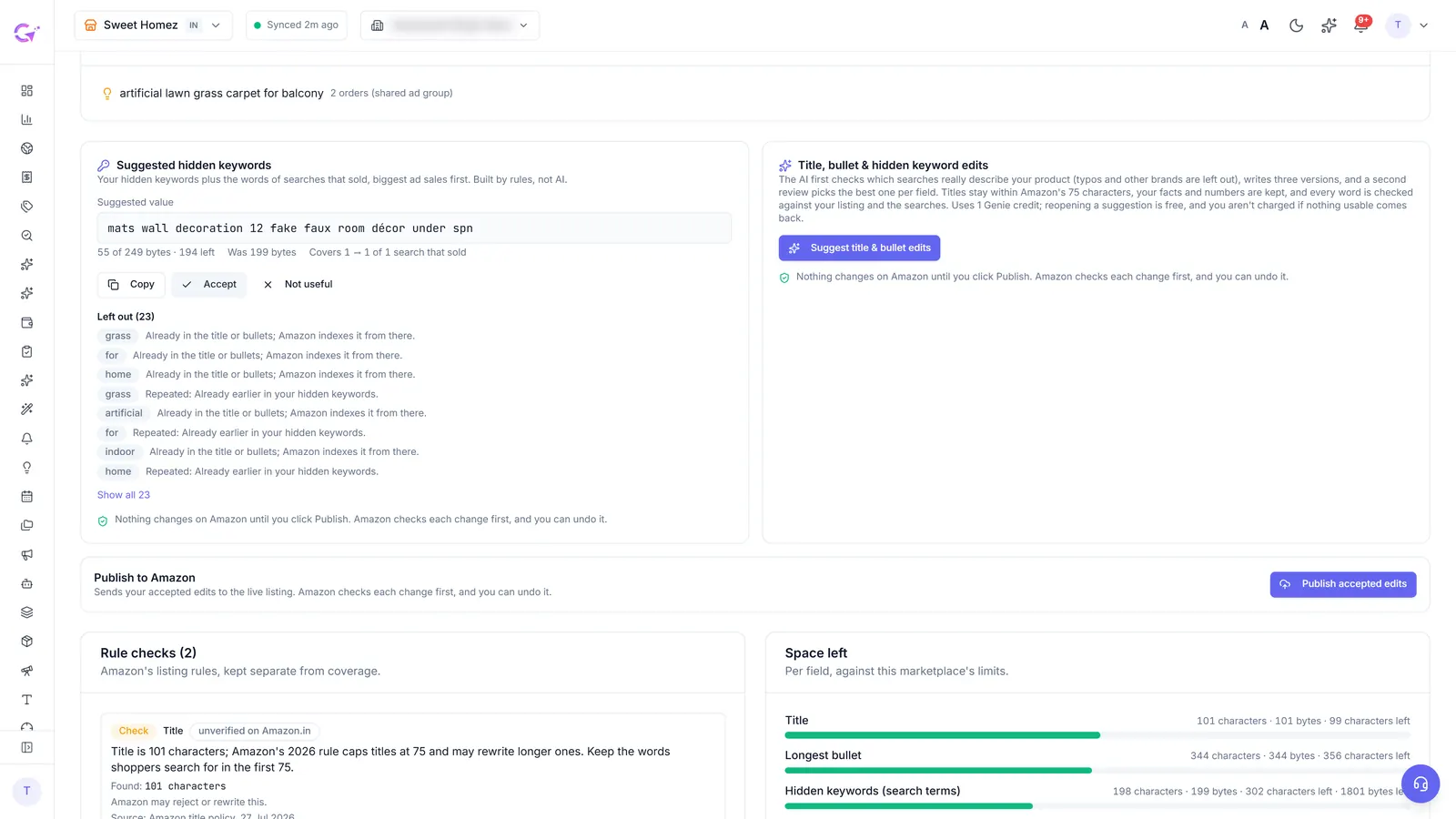
Once the page converts better, check where ad spend still leaks with the search term report, or run the free PPC audit. Comparing tools first? See the best Amazon PPC software in India.
Questions people ask
What is A+ Content on Amazon?
The section of images, text, comparison charts and video below the bullets on a product page. Brand owners in Brand Registry add it through A+ Content Manager in Seller Central.
Is A+ Content free on Amazon India?
Brand Registry, which you need first, is free according to Amazon India. Amazon India's A+ guide does not list a fee for A+ itself; check A+ Content Manager in your account for current terms.
Can I add A+ Content without Brand Registry?
No. Amazon India requires you to be the brand owner registered under Brand Registry, and A+ can only go on products in your approved brand catalogue.
Do I need a registered trademark for A+ Content?
You need Brand Registry, and Amazon India accepts a pending or registered trademark for enrolment.
Does A+ Content improve conversion?
Amazon India says basic A+ can increase sales by up to 8% and well-implemented Premium A+ by up to 20%. Measure your own conversion rate before and after to see the effect on your product.
Check it in your own account
See pricing · Get a free PPC audit · Start a 14-day free trial