Blog / Control and trust
How to check what your Amazon PPC tool (or agency) changed, and undo it
Your ACoS moved. Your agency says it's "optimising". Nobody can tell you which bids changed last Tuesday, or why.
Updated 2026-11-08
The short answer
Ask for a change record with six parts: who or what made the change, what it touched, the value before and after, the reason, the result measured afterwards, and a way to reverse it. Amazon's campaign History tab shows what changed and the old and new values. The reason, the result and the undo have to come from somewhere else.
Why change history is the first thing to ask for
When a tool or an agency runs your ads, you pay for decisions you never see. Read enough seller threads and two complaints keep coming back. They point in opposite directions.
“Bids barely moved even though they called it 'smart bidding'”
r/AmazonFBA, a seller describing a PPC tool, 2025-07-17
“still felt like I was doing most of the work myself”
r/AmazonFBAOnlineRetail, a seller describing a PPC tool, 2026-04-20
One seller saw too little happen. The other saw the work land back on their own desk. Neither could have proved it without a record of what changed. A PPC tool vendor in another thread put the standard well: "a good tool should show you why it made changes" (r/FulfillmentByAmazon, 2025-10-14). We'd add two things: what the change did afterwards, and how to take it back.
If you're still deciding who should run your ads at all, start with agency vs software for Amazon PPC. This guide assumes someone already is, and you want to check their work.
What Amazon's console shows, and what it doesn't
Each campaign in Amazon Ads has a History tab. It lists changes by date with the old and new value: bid edits, budget changes, keywords added or paused, campaigns switched on or off. It costs nothing, and it's the neutral place to check a tool or agency against. Its gaps are the ones that matter most:
- It doesn't say why. A bid went from 12 to 9. Was that a rule, a person or a typo?
- It doesn't measure the result. You pull reports for the days before and after and compare them yourself.
- There's no undo. Reversing a change means typing the old value back in, one entity at a time.
- It's per campaign. Checking 40 campaigns means opening 40 History tabs.
The manual workaround that scales is a weekly bulk sheet snapshot:
- Every Monday, download a bulk operations file from Campaign Manager and save it with the date in the file name.
- The next Monday, download a fresh one.
- In a spreadsheet, match rows by keyword ID or target ID and flag every row where the bid, state or budget differs.
- For each flagged row, compare spend, orders and ACoS for the 7 days before and the 7 days after the change.
- To undo one, put the old value back in the new file, set Operation to Update, and upload it.
It works. It also costs you an evening a week, and it still can't tell you why anything changed.
A checklist: what every change record should contain
Whoever runs your ads, a tool, an agency or a freelancer, ask them for one week of changes with these six fields. If they can't produce it, that is your answer.
| Field | What it answers | Red flag |
|---|---|---|
| Who or what | Which person, rule or automation made the change | "We optimised it", with no name |
| What | The exact keyword, target, campaign or budget | "Adjusted 120 bids" as a summary |
| Before and after | Old value and new value, e.g. Enabled to Paused | Only the new value |
| Why | The condition that triggered it, e.g. 18 clicks and no orders in 30 days | A reason written after the fact |
| Measured result | Spend, orders and ACoS over a fixed window before vs after | Account-wide ACoS offered as proof for one change |
| Undo | A way to restore the old value | "We'll fix it next cycle" |
Ask for this as a CSV, not a slide. A slide is a summary someone chose for you.
Two of these fields are hard to fake. The reason has to be saved when the change is made, or it gets written to fit the outcome. And the result has to use the same window every time. Otherwise anyone can pick the week that looks good.
How the CreatAiGenie Change Log records a change
Every change made through CreatAiGenie, whether you clicked it, a rule fired it or AI Genie proposed it, lands in one Change Log. Each row shows the source (Manual, Rule Engine, AI Genie, Day Parting, Suggestion and others), the field, the value before and after, and when it happened. Team actions are also kept in Audit Logs, so you can see which staff member did what. The Change Log help article covers the filters.
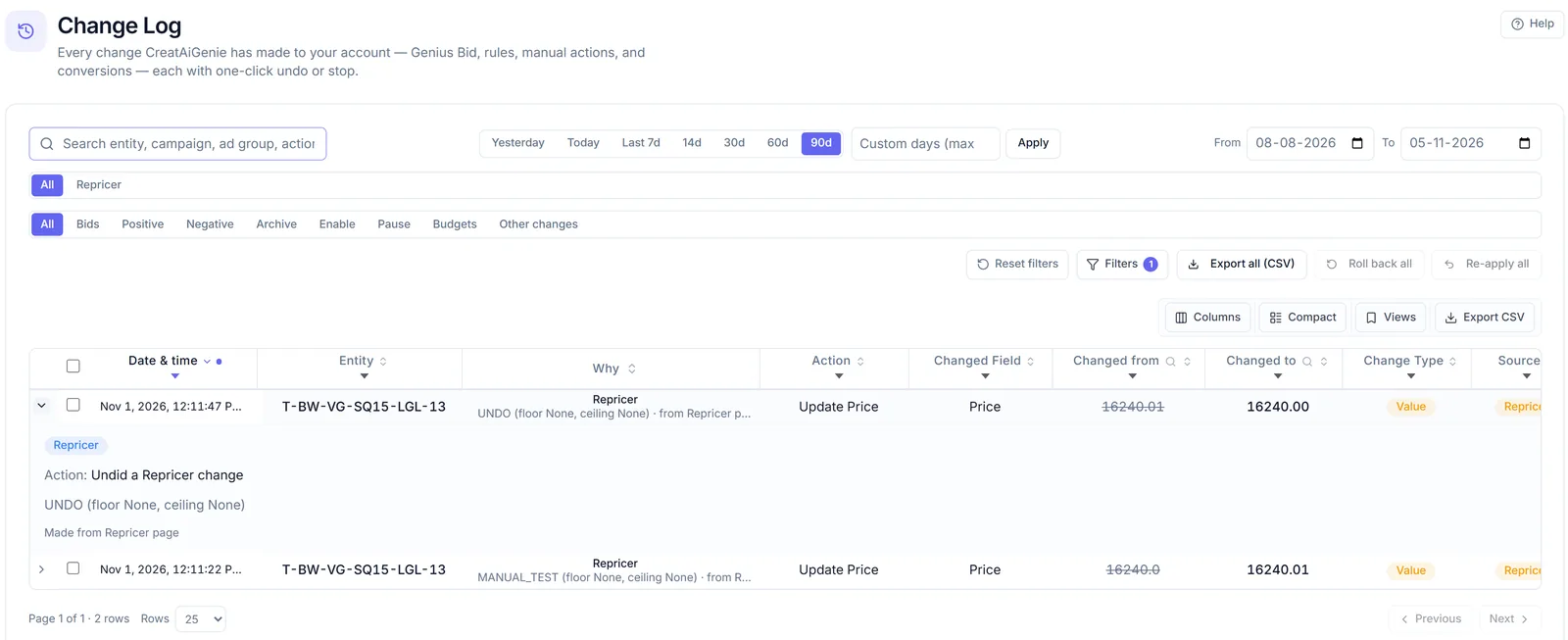
Open a row's Why and you see the module or rule, the condition, and the observed value next to its threshold. If a rule paused a keyword for 15 clicks and no orders, that's what the row says, in those numbers.
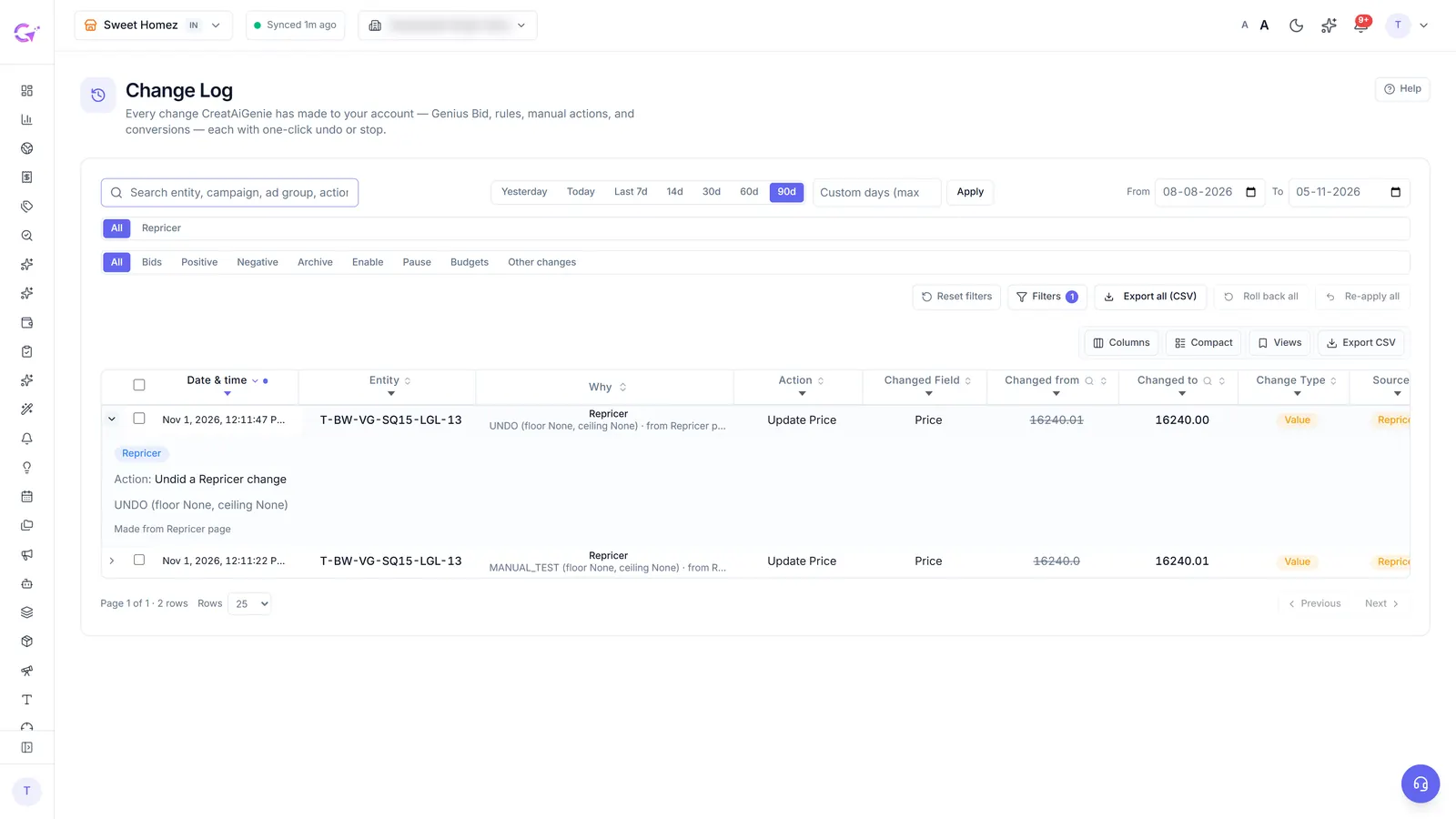
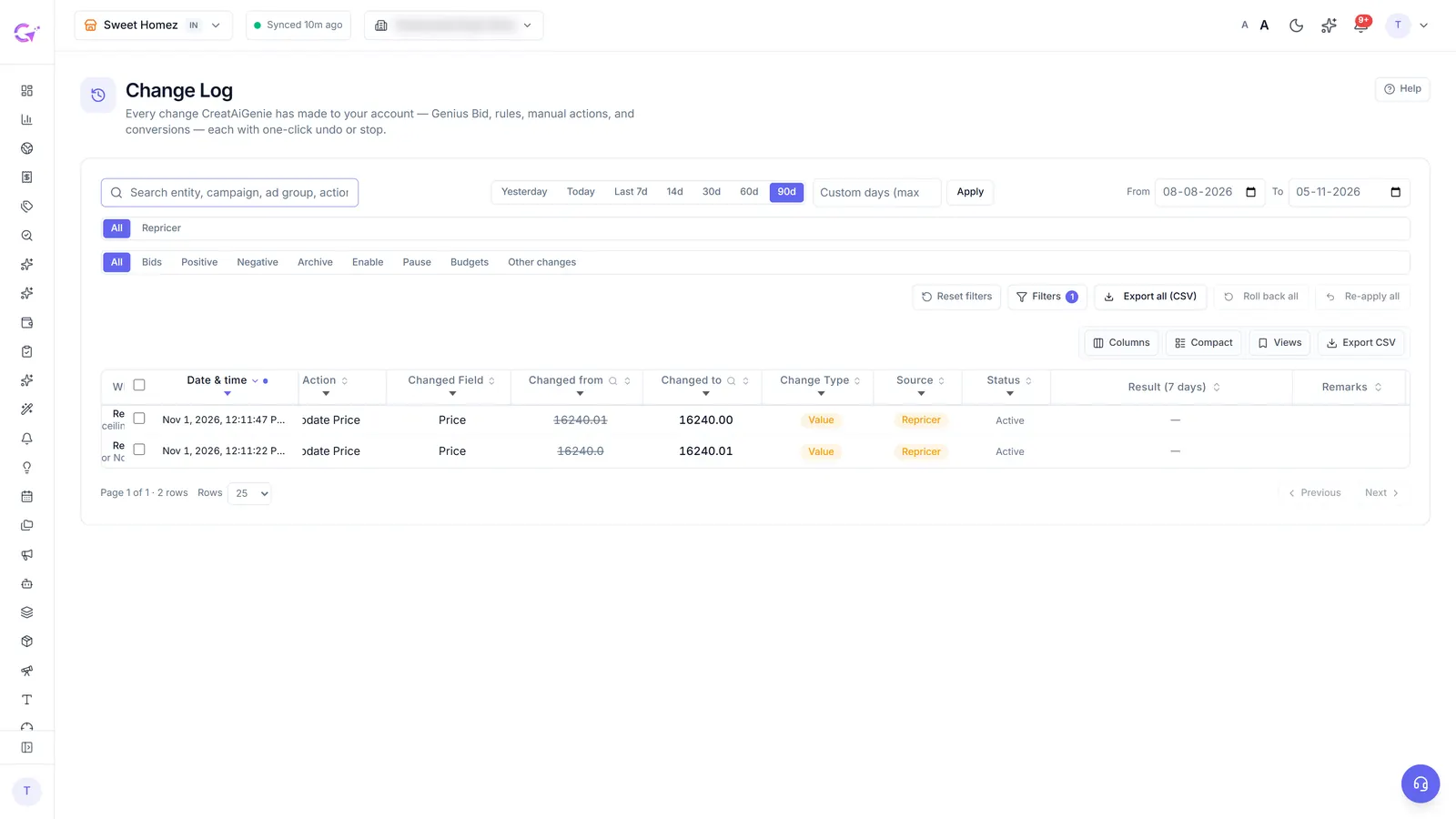
The Result (7 days) column compares the 7 days before a change with the 7 days after it, so you can see whether a bid cut lowered spend without costing orders. Give it the full week. A result on day two is mostly noise. To reverse something, click Roll back on one row, on a selection, or on everything matching the current filter. Rollbacks are logged too, and you can re-apply them. You can export the filtered log as a CSV with every field in the checklist above.
What can't be rolled back
Undo has limits, and you should know them before you rely on it:
- Archiving. Amazon treats archived campaigns, keywords and negatives as permanent. CreatAiGenie warns you before a bulk archive, but no tool can bring an archived item back. If you're unsure, pause instead.
- Keywords created from search terms. A new keyword can't be un-created. Rolling one back either pauses it or adds the term as a negative exact, your choice.
- Money already spent. Undo restores a setting. It doesn't refund the clicks you paid for while the setting was live.
Catch bad changes before they go live: dry run and guardrails
Undo is the backstop. It's better to catch a bad change in preview. AI Genie and every new rule start in dry run: they work out what they would change and show you, and nothing reaches Amazon until you switch dry run off. Run it for a week, read what it would have done, then decide. The dry run checklist lists what to check first.

Once live, the guardrails hold:
- Bids never go below Amazon's marketplace minimum or above 2× what you pay per click today.
- Nothing is changed twice in 24 hours.
- One budget change never cuts below 60%.
- Rules in the Rule Engine can require your approval, cap changes per day, and pause themselves through a safety cap if they start changing too much.
If an agency runs your account through CreatAiGenie, ask for the Change Log CSV every month. If they use something else, send them the checklist above and see what comes back. To compare how other tools handle approval and undo, see our Amazon PPC tool comparison.
Questions people ask
How long should I wait before judging a bid change?
At least 7 days, which is the window the Change Log uses. Amazon's reports run about a day behind, and on low-traffic keywords a shorter window mostly measures noise.
Can I undo an archived campaign or keyword?
No. Archiving is permanent on Amazon, whichever tool you use. Pause instead when you might want something back.
Does rolling back a change switch off the rule that made it?
No. Roll back reverses the change, and the rule stays as it is. Switch the rule off or put it back in dry run, or it can make a similar change on a later run.
What should I ask my agency for?
One week of changes as a CSV with six fields: who or what made each change, what it touched, before and after values, the reason, a measured result and how to undo it.
Check it in your own account
See pricing · Get a free PPC audit · Start a 14-day free trial