Blog / Agencies
How to manage 10+ Amazon Ads accounts without opening each one every morning
If your day starts by opening every client's account to see whether anything broke, the checking grows with every client you sign, and it eats the time you meant for fixing.
Updated 2026-11-06
The short answer
Stop checking accounts and make them report to you. Set thresholds per client for spend, ACoS and budget pace that send an alert. Run a daily audit. Write rules once and apply them across accounts. Triage from one ranked list, and automate client reports. Then you open an account only when it needs a decision.
Why opening every account stops working
Ten accounts at 15 minutes each is two and a half hours before anyone fixes anything. On most days most accounts are fine, so most of that time confirms that nothing happened. Meanwhile the one account that went wrong last night waits its turn on the list.
“bid automation eating my evenings, not the dashboards”
r/PPC, "Finally moving off manual Amazon PPC", 2026-04-30
The fix is to reverse the direction. Accounts should tell you when they need you. That takes five pieces: thresholds, audits, shared rules, one triage list and reporting. Each step below works with a spreadsheet and Amazon's console first, then shows how CreatAiGenie for agencies does the same job.
Step 1: set thresholds so accounts call you
Start with a sheet, one row per client: target ACoS, monthly budget and a daily spend ceiling. Then agree three triggers per client. These are reasonable defaults to adjust:
- Yesterday's spend more than 30% above the 7-day average.
- ACoS above the client's target for three days running.
- Month-to-date spend pacing to finish more than 10% over or under the monthly budget.
Amazon only has daily budgets, so the console can't answer the third one. By hand, it's a formula in your sheet that someone has to update.
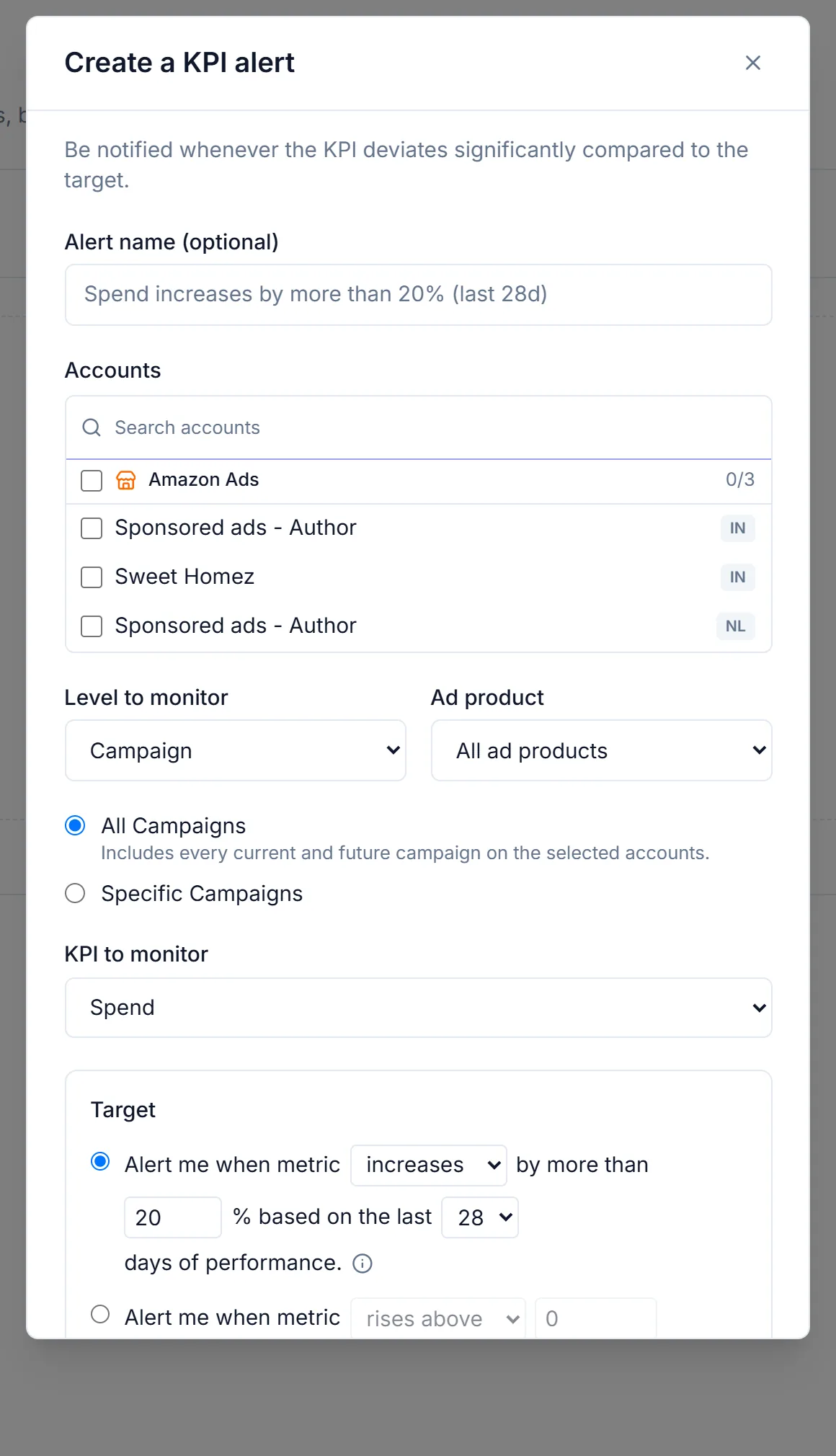
In CreatAiGenie, KPI alerts watch cost, sales, orders, ACoS, ROAS, CPC and more, at any level from account down to search term. A trigger can be a fixed number or a % change against the previous window, with a minimum volume so a quiet day doesn't set it off. Alerts arrive in-app and by email. Budget monitors track spend against a monthly target, project where the month will close, and can pause campaigns at the target and switch them back on next cycle.
Step 2: audit daily, and write each rule once
Alerts catch things that move. Audits catch things that quietly stopped: a keyword with no impressions for six weeks, a campaign that runs out of budget by noon every day, negatives duplicated at ad group and campaign level. By hand, that's a checklist you run per account once a week, if you're lucky. Account Audit (Standard and up) runs 32 checks across 9 areas every day, scores each account (Healthy at 80 and above, Watch, At risk) and sorts the fix list by spend at stake. A check it can't compute says "not applicable" instead of guessing.
Rules are where agencies lose consistency. The manual version is a written playbook, such as "15 clicks and no orders in 30 days: negate it", applied by hand. Each account manager reads it a little differently. The Rule Engine turns that line into one rule. Global rules run across every account in the plan, Word Lists hold the terms you reuse in filters, and new rules start in dry run with a Simulate step that shows what would match today. Agency plans allow 30, 75 or 200 rules.
Step 3: one list for what needs you today
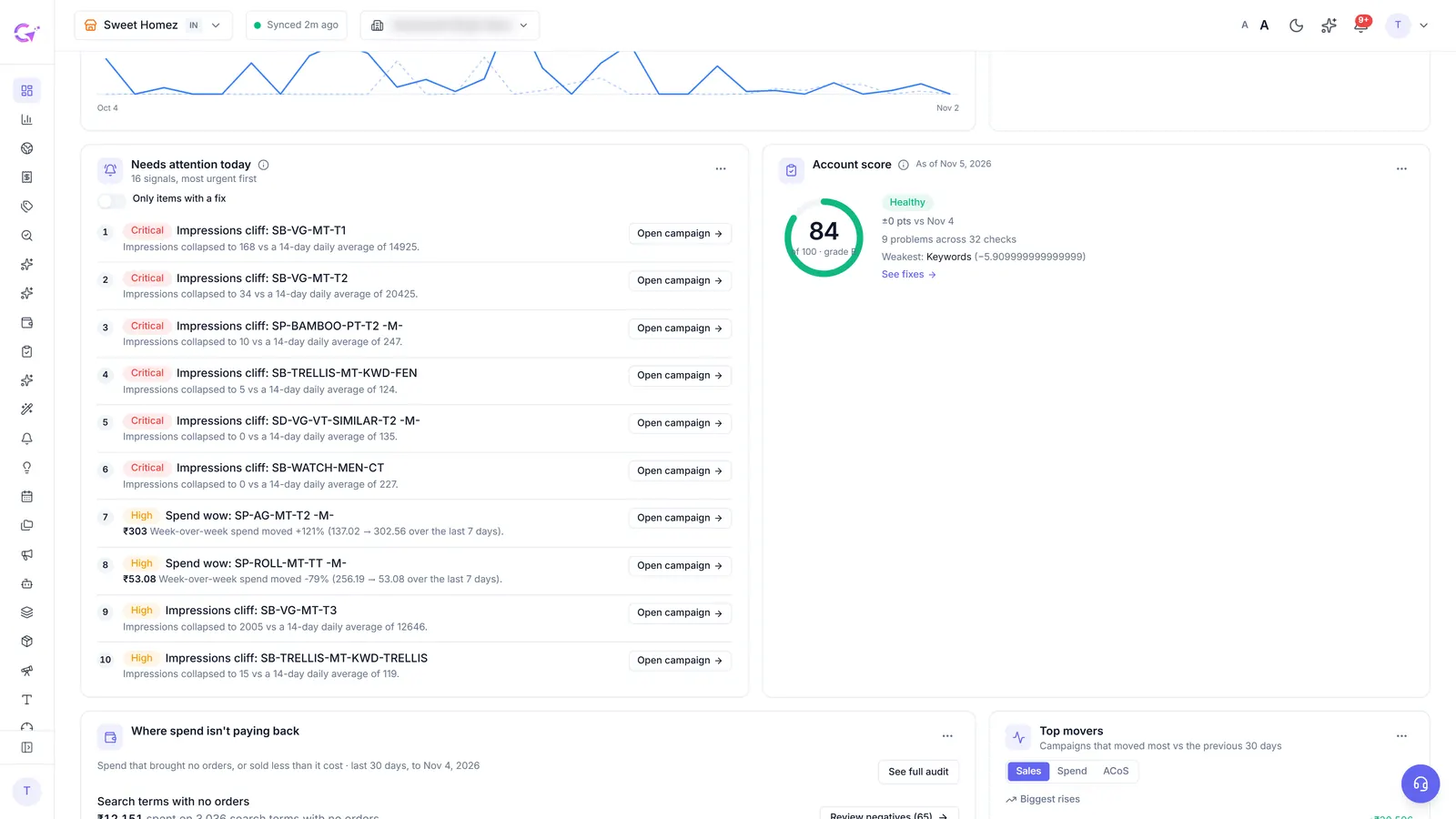
Alerts still leave a question: which client first? The manual answer is a sheet sorted by money at risk, kept up to date by hand. In CreatAiGenie, the Dashboard's Needs attention today ranks one account's problems by money at stake, each with a single link to the fix.
Book of Business (Gold and up, agency accounts) puts every client on one grid: 30-day spend and ACoS against the prior period, data freshness, open suggestions, active rules, whether the client has been reported this month, a health flag and the biggest revenue leak. Sort by any column and work down the list.
Step 4: client reports and staff access
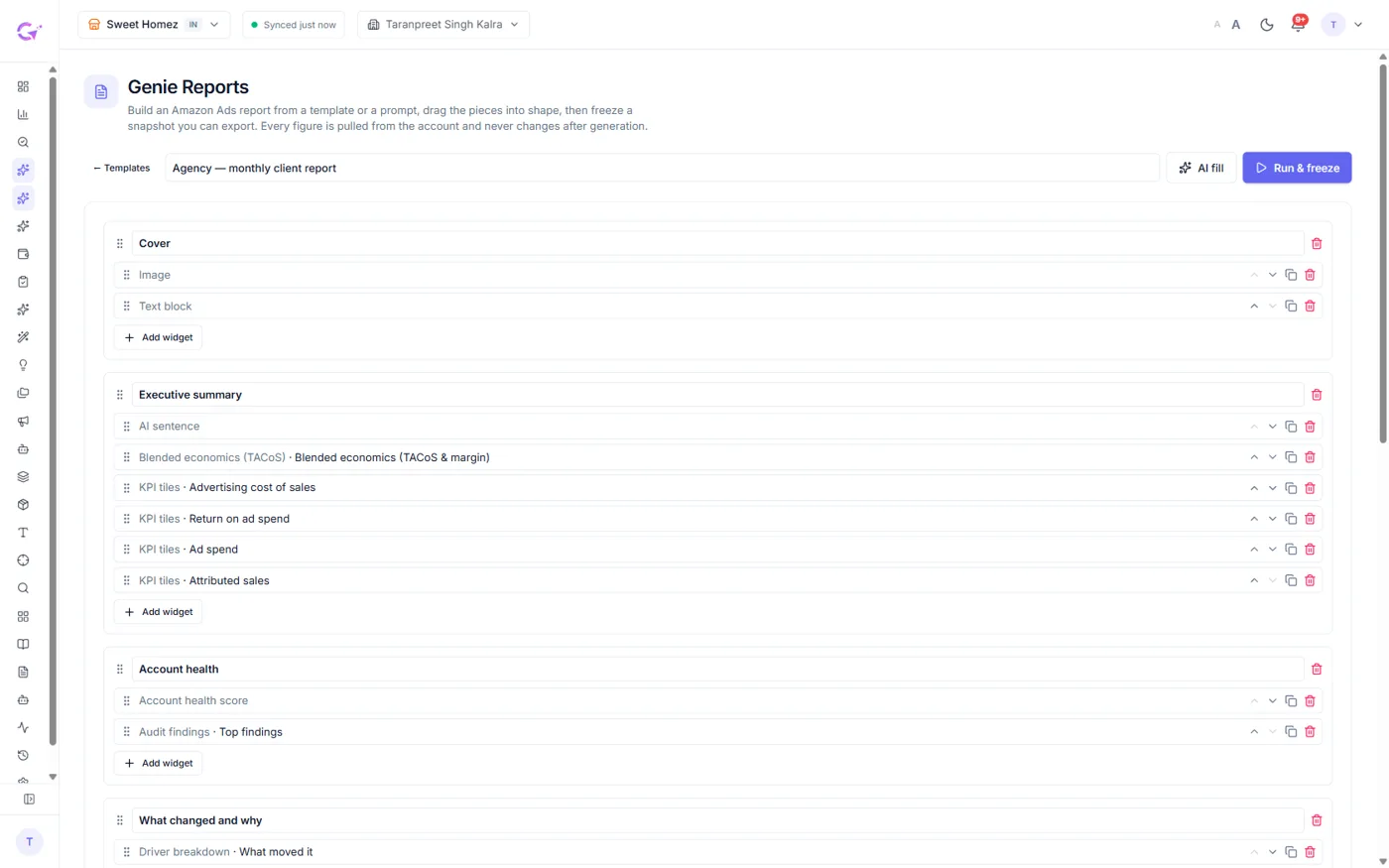
The manual monthly report is export, paste into slides, write the commentary, repeat per client. Genie Reports (Gold and up) builds it: executive summary, KPI table against the prior period, root cause, campaigns that moved and next month's plan. Figures are frozen when the report runs, and the narration drops any sentence containing a number that isn't in the data. Export as PDF, PowerPoint or Excel, or schedule it weekly or monthly to client emails, optionally only when a KPI moves, for example when ACoS worsens by 10% or more. Report Branding adds your logo, accent colour, a "Prepared by" line, and can hide the Genie mark, per client.
Attach the Change Log as a CSV export. It's the proof behind "what we did this month": every change with its reason and measured 7-day result. Our guide to checking and undoing PPC changes covers what clients should expect in it.
For staff, there are three roles: Owner, Admin and Standard. Standard members get a page-by-page View/Edit grid and can be limited to selected clients, which carries through to the Dashboard, Book of Business, the morning brief and Ask Genie. A daily digest lists staff edits, exports and logins. Setup is in clients, team access and Book of Business.
What it costs, and what to know first
Agency plans cost the same as seller plans. The limits are higher.
| Plan | Per month | Amazon profiles | Rules | Adds |
|---|---|---|---|---|
| Basic | ₹3,500 (about $37) | 8 | 30 | KPI alerts, budget monitors, Rule Engine, Change Log |
| Standard | ₹5,000 (about $53) | 20 | 75 | + Account Audit, Day Parting |
| Gold | ₹8,000 (about $85) | 50 | 200 | + Genie Reports, Report Branding, Book of Business |
| Platinum | ₹9,900 (about $105) | 50 | 200 | + Ask Genie, including questions across clients |
List prices before tax, billed in INR; 20% less when billed yearly. Indian customers add 18% GST. Dollar figures at ₹94.48 to $1, for reference.
At Gold, 50 profiles for ₹8,000 works out to ₹160 (about $1.70) a profile. The full limits are on the pricing page, and the tool comparison shows how other tools charge.
Want to see what one client account looks like first? Run a free Amazon PPC audit on it.
Questions people ask
Can I copy one client's rules to another client?
Not with one click yet. Use a global rule to run the same rule across every account in your plan. Rules can also be exported and imported as JSON files.
Do my clients get their own login?
No, there's no client portal. Clients get branded Genie Reports by email and the Change Log as a CSV.
How many accounts can I try during the trial?
Up to 5 Amazon profiles for 14 days, with Platinum features. Genie Reports and Book of Business stay locked during the trial.
Do alerts fire the moment something goes wrong?
No. They check Amazon's report data, which runs about a day behind. Expect to hear about yesterday's problem this morning, not this hour's.
Check it in your own account
See pricing · Get a free PPC audit · Start a 14-day free trial