Blog / Bids and profit
Amazon dayparting: find the hours that waste your ad budget
Your ads spend around the clock. Your shoppers don't buy around the clock. If a click at 2 a.m. costs what a click at 8 p.m. costs and converts at half the rate, you overpay every night, and the daily report hides it.
Updated 2026-11-07
The short answer
Dayparting means changing bids by hour of the day. Use hourly data from Amazon Marketing Stream that has had 14 days to settle, find the hours where cost per order runs well above your target, and don't judge any hour with fewer than 20 clicks. Then lower bids in those hours on a weekly schedule and recheck.
Why your daily reports can't show wasted hours
Amazon's standard ads reports add the day up into one row per campaign, keyword or search term. A keyword at 30% ACoS for the day could be at 15% in the evening and 70% overnight, and the daily total still looks fine. You can't fix a pattern you can't see.
There's a second trap. Amazon credits an ad with orders placed days after the click, so recent hours look worse than they'll look once late orders arrive. Judge last week's hours and you'll cut bids in hours that were fine.
If ACoS, CPC and conversion rate blur together, the metric glossary defines each one the way this guide uses them.
Where hourly data comes from
Amazon Marketing Stream pushes hourly performance data (impressions, clicks, cost, purchases and sales) by campaign, placement and hour, in your marketplace's time zone. You subscribe to it through the Amazon Ads API. For most sellers that's a developer project, not an afternoon job. The placement split is worth having when you do get it: an overnight problem can sit mostly in one placement, and the fix there is a placement adjustment, not an hourly one.
Without Stream, the manual fallback is a bid test. Pick the hours you suspect (overnight is the usual one), lower bids in those hours for two weeks, then compare cost per order and total sales with the two weeks before. It is slow and noisy, and someone has to make the changes on time every day.
“bid automation eating my evenings, not the dashboards”
r/PPC, thread 1szz4d2, 2026-04-30
How to read hourly numbers without fooling yourself
- Let the data settle. Leave out the most recent 14 days, because late-attributed orders are still arriving.
- Set a click floor. An hour with 6 clicks and no order tells you nothing. Don't judge an hour until it has at least 20 clicks across the period you're looking at.
- Compare with your target, not with zero. Work out ACoS or cost per order for each hour and set it against your target ACoS. If you don't have one yet, the break-even ACoS guide shows how to set it from real profit.
- Split weekdays from weekends. A Sunday-morning pattern disappears in a seven-day average.
- Change bids gently. A 0.7× multiplier on the worst hours keeps some reach and gives you a cleaner before and after than switching those hours off.
| Hours (local time) | Clicks | Ad spend | Orders | ACoS |
|---|---|---|---|---|
| 00:00 to 06:00 | 120 | ₹1,800 ($19) | 2 | 75% |
| 06:00 to 12:00 | 260 | ₹3,900 ($41) | 11 | 30% |
| 12:00 to 18:00 | 310 | ₹4,650 ($49) | 14 | 28% |
| 18:00 to 24:00 | 420 | ₹6,300 ($67) | 24 | 22% |
Illustrative numbers for one campaign over 28 settled days, with an average order of ₹1,200 (about $13) and a target ACoS of 30%. Converted at ₹94.48 to the dollar.
Read it like this. The overnight block has enough clicks to judge and runs at two and a half times the target, so it is the first candidate for a lower multiplier. Mornings sit at target and evenings beat it, so leave those alone or nudge the evening up. Across the whole day this campaign shows about 27%, which is exactly why the daily report never raised a flag. Then look again after two weeks. An hour that was bad last month can be fine this month, especially around sale events.
When dayparting is the wrong fix
Dayparting moves bids by the clock. It does nothing about what you're bidding on. If every hour looks bad, the problem is usually the searches, the listing or the price, and lowering bids at night just loses money more slowly. Block the search terms that never convert first, then come back to hours.
- Low volume: if most hour slots stay under 20 clicks after a month, you are reading noise. Work at the day level until volume grows.
- Budget running out early: a campaign that hits its daily budget by mid-afternoon never shows you its evening. Lowering bids in the weak morning hours can let the budget last into the hours that sell.
- Sale events: the hourly pattern on a big sale day looks nothing like a normal Tuesday. Pause a schedule or plan around it rather than letting normal-week multipliers run through it.
The heatmap: hours that convert and hours that cost
Day Parting in CreatAiGenie reads Marketing Stream for you and draws an hourly heatmap of impressions, clicks, cost, purchases and sales over 7 to 90 days, with callouts for the strongest and the costliest hours. It follows the rules above: it uses settled hours that match Amazon's daily reports, with a 14-day settling window and at least 20 clicks an hour, so a quiet hour isn't painted red on thin data.
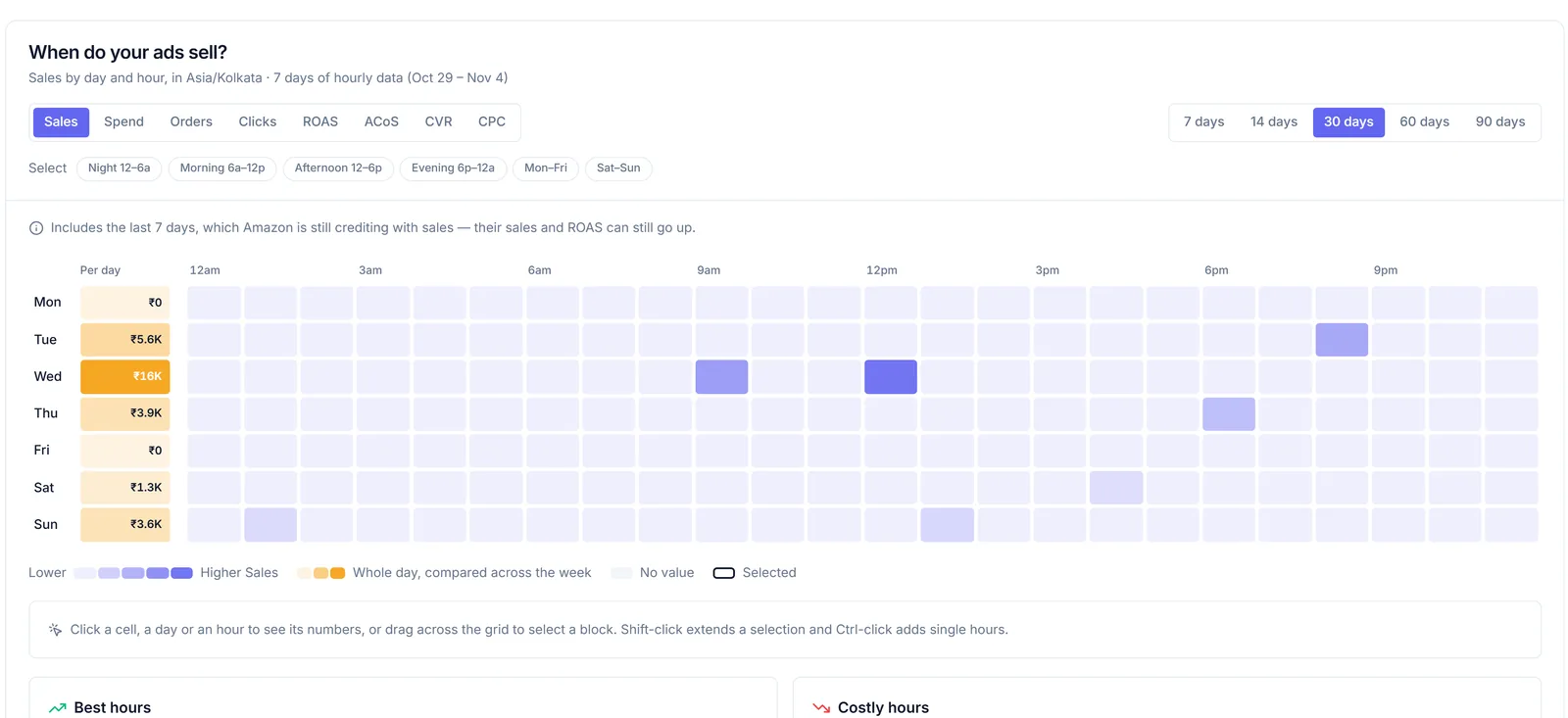
Costly hours also appear in Suggestions, where one click turns them into a Day Parting schedule.
Two habits help when you read it. Look at cost and purchases together: an hour with high spend and plenty of orders is a busy hour, not a wasteful one. And switch the range between 30 and 90 days before you trust a pattern. If the costly hours stay costly in both, they're real. If they move around, leave them alone for now.
Turn the hours into a schedule
The schedule is a 24-hour by 7-day grid. You paint bid multipliers from 0.5× to 2× onto the hours, choose the scope (the whole account, ad types, campaigns, ad groups, keyword text or target kinds), preview which keywords and targets match, and switch it on. The Day Parting guide walks through each step.
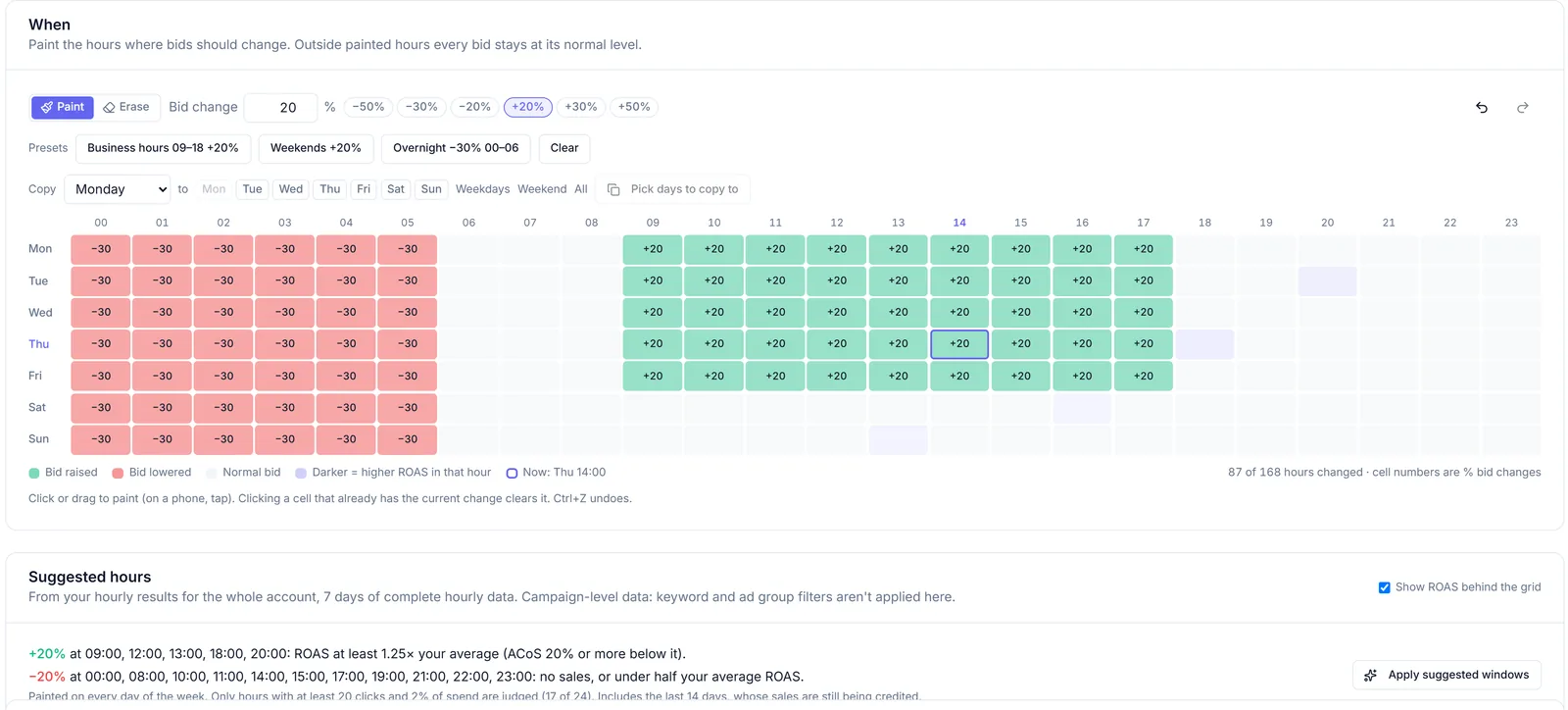
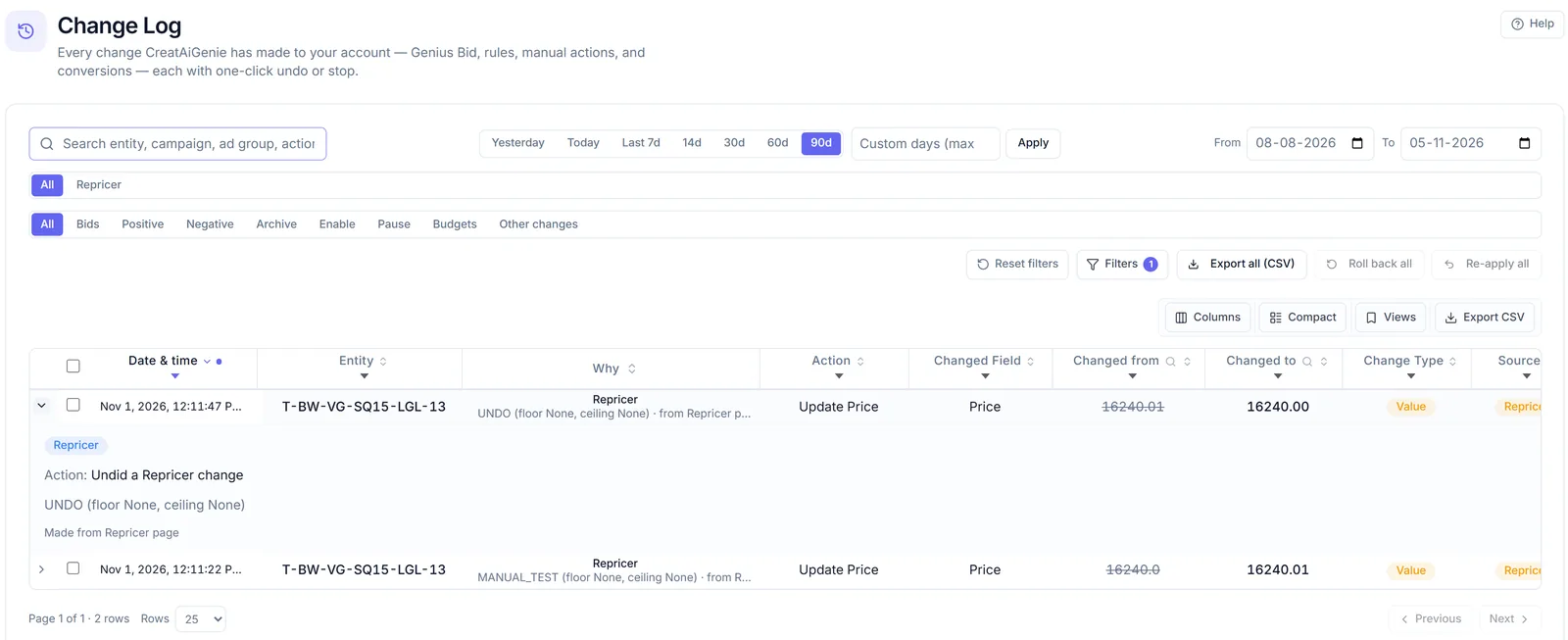
It runs every hour in your marketplace's time zone (IST for amazon.in). Bids never go below Amazon's minimum, every scheduled change is recorded in the Change Log with a roll back, and for the bids it controls, Day Parting takes priority over the Rule Engine and AI Genie, so they don't fight over the same keyword. A before and after panel shows how performance moved once the schedule is running.
Questions people ask
Is dayparting worth it for a small account?
Often not yet. If most hour slots have fewer than 20 clicks across a few weeks, the pattern is mostly noise, and blocking wasted search terms usually helps more.
Does Day Parting react to live hourly data?
No. It applies the multipliers you set, every hour, on a schedule. The heatmap helps you decide that schedule; it does not change bids by itself.
Which time zone does the schedule use?
Your marketplace's own time zone, so IST for amazon.in and local time for other marketplaces.
Which plan includes Day Parting?
Day Parting schedules are on Standard and above. The hourly heatmap is on Platinum and in the 14-day trial.
Check it in your own account
See pricing · Get a free PPC audit · Start a 14-day free trial